

You don’t need a £500/month SEO platform. Not yet, anyway.
Most growing businesses waste money on SEO tools they barely understand, chasing metrics that don’t matter, while ignoring the fundamentals that actually move the needle.
Here’s the truth: the best SEO tool is often the one you’ll actually use consistently. And for most businesses turning over £500k–£2m, that means starting with the free essentials and only paying for tools that solve specific problems you’ve already identified.
This list focuses on practical tools for business owners and marketers who need to get SEO done — not become full-time SEO professionals. If you want the fuller picture first, our SEO guide for businesses covers the strategy this tooling supports.
The free foundations (start here)
1. Google Search Console
Cost: Free What it does: Shows you exactly how your site performs in Google search
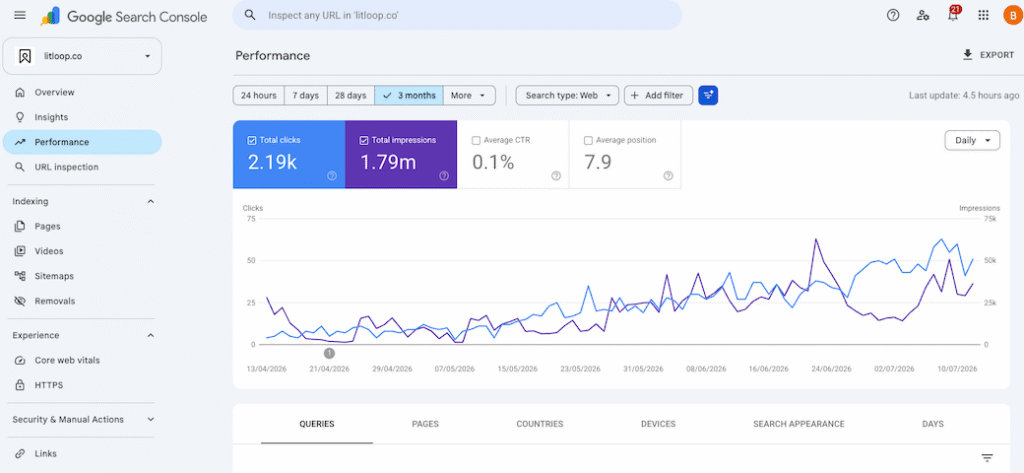
This is non-negotiable. If you’re not using Search Console, you’re flying blind.
It tells you which keywords you’re ranking for, which pages get traffic, what technical issues are hurting you, and where Google thinks you need to improve. The data comes straight from Google, making it the most accurate source you’ll find.
Why it matters: You can’t improve what you don’t measure. Search Console is your baseline.
The catch: You can only see data for sites you own, so it’s useless for competitor research.
Start here: Set up Search Console, connect it to your site, give it a week to gather data, then actually look at what it’s telling you.
2. Google Analytics 4 (GA4)
Cost: Free What it does: Tracks what visitors actually do on your site
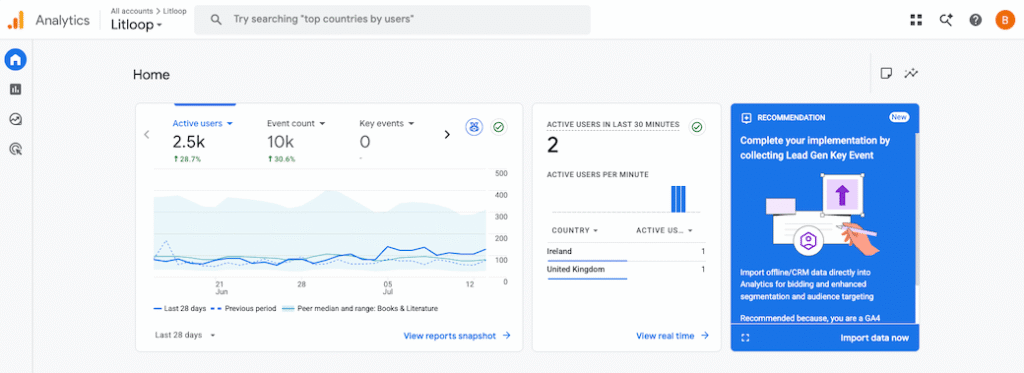
Search Console shows how people find you. Analytics shows what they do after they arrive. Which pages do they visit? Where do they leave? What converts them?
GA4 is the current version and yes, it’s different from Universal Analytics. Yes, the learning curve is annoying. But understanding your traffic is fundamental to making good decisions.
Why it matters: SEO without conversion tracking is just vanity metrics.
The catch: The interface is genuinely confusing at first. Invest an hour learning the basics — it pays off.
3. Google Business Profile
Cost: Free What it does: Manages your presence in Google Maps and local search
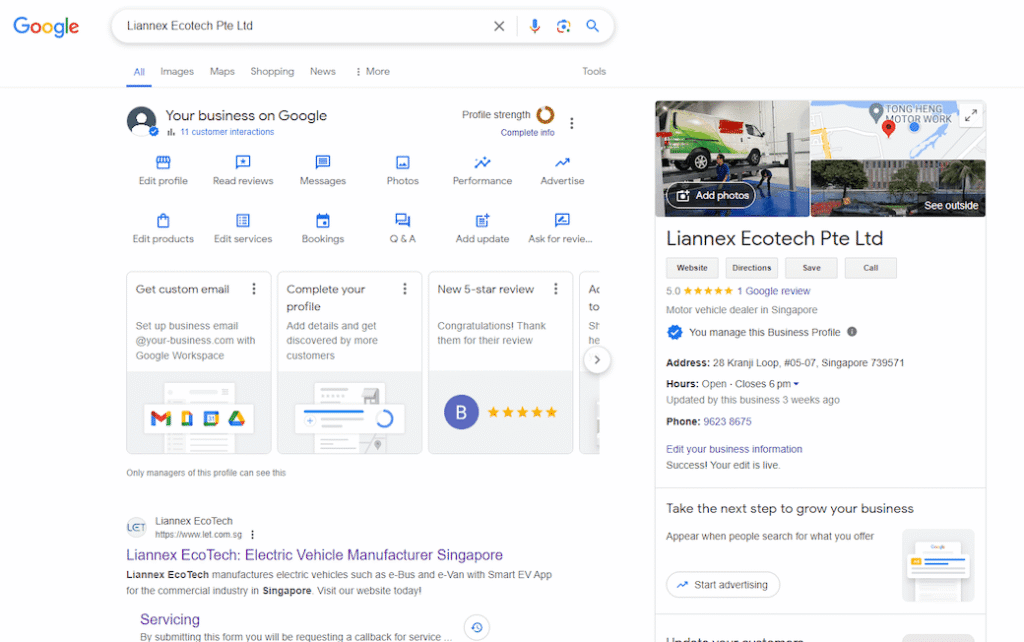
If you have a physical location or serve specific areas, this is essential. Your Google Business Profile affects whether you show up for “near me” searches and what information people see when they find you.
Why it matters: Local search drives foot traffic and phone calls. It’s often the fastest SEO win for service businesses — we go into this in more depth in our guide to local SEO for small businesses.
Best practice: Keep your profile updated, respond to reviews, post regular updates. The businesses that treat this as a marketing channel — not just a listing — see real results.
4. Screaming Frog (Free version)
Cost: Free for sites under 500 URLs What it does: Crawls your website to find technical issues
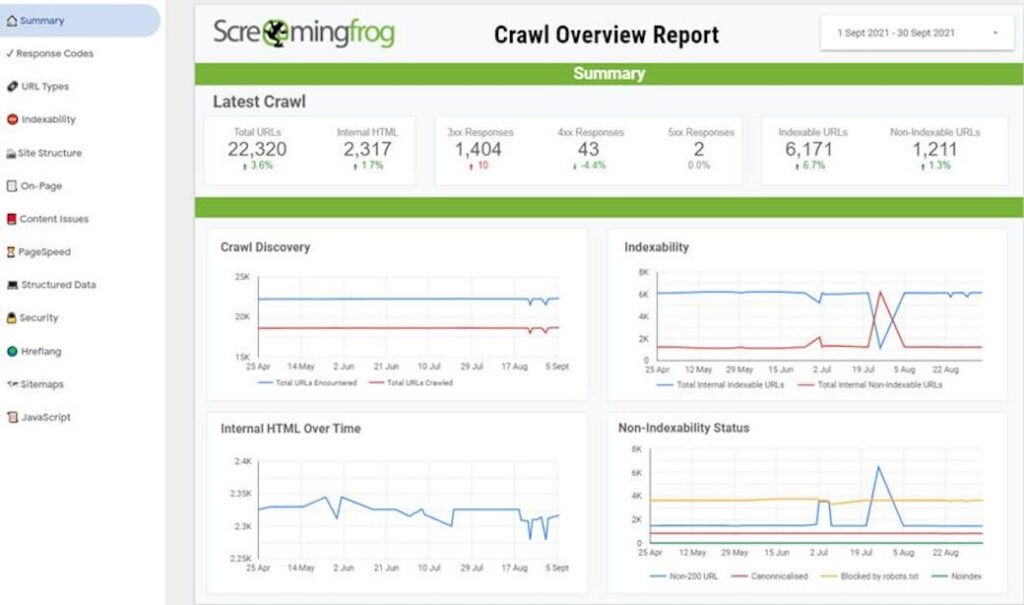
Screaming Frog is a desktop tool that crawls your site like a search engine would, identifying broken links, missing meta descriptions, redirect chains, and other technical problems.
Why it matters: Technical SEO issues actively hurt your rankings. You can’t fix problems you don’t know about.
The limitation: The free version caps at 500 URLs, which is fine for most SME websites.
When to use it: Run a crawl monthly to catch issues before they become problems.
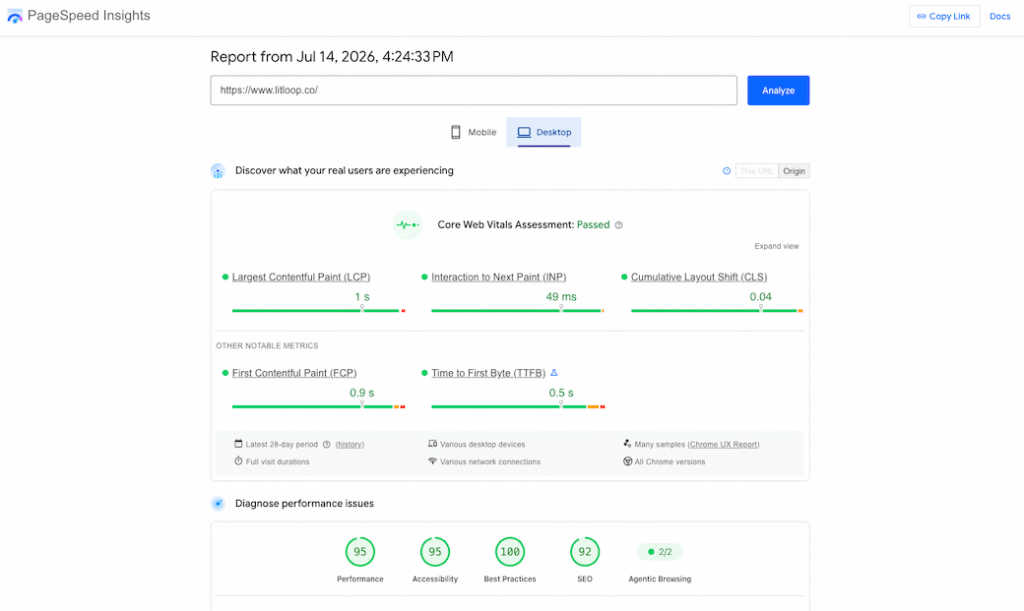
5. PageSpeed Insights
Cost: Free What it does: Measures and diagnoses site speed
Site speed affects both user experience and rankings. PageSpeed Insights analyses your pages and tells you exactly what’s slowing them down — something we factor into every build, as covered in our website design guide.
Why it matters: A fast site keeps visitors engaged and signals quality to search engines.
How to use it: Test your key pages, implement the recommendations, test again. Aim for scores in the 90s on mobile.
The paid tools worth considering
6. Ahrefs
Cost: From £29/month What it does: Keyword research, competitor analysis, backlink checking
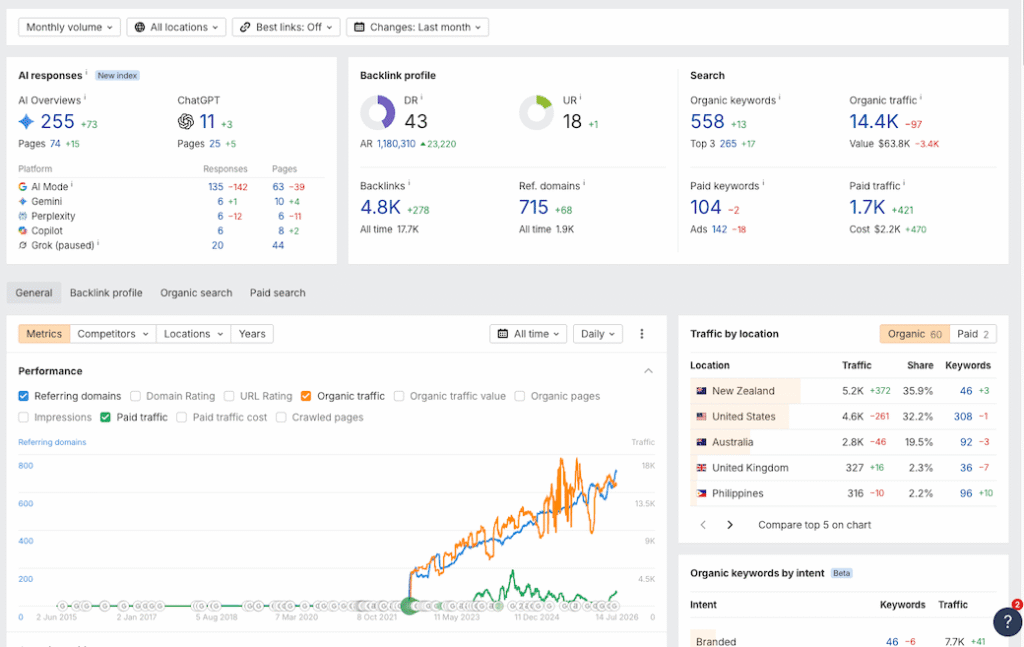
Ahrefs is the gold standard for understanding your competitive landscape. Want to see which keywords your competitors rank for? What content drives their traffic? Who links to them? Ahrefs has answers.
The keyword research tool is excellent, the backlink database is huge, and the site audit feature catches technical issues Search Console might miss.
Why it matters: Competitor analysis reveals opportunities you’d never find otherwise.
When you need it: When you’re serious about content marketing and ready to invest in keyword research and competitive intelligence.
The reality: It’s expensive. If you’re just starting with SEO, begin with free tools and upgrade when you’ve proven SEO drives results for your business.
7. Semrush
Cost: From £99.95/month What it does: All-in-one SEO platform
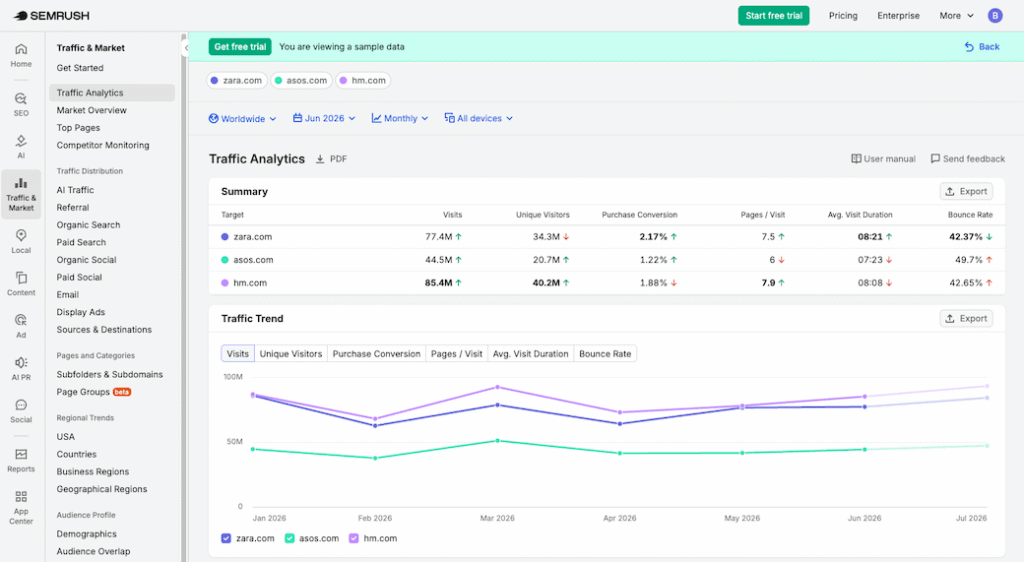
Semrush and Ahrefs are the two heavy hitters in this space. They do similar things, and most professionals have a preference between them.
Semrush edges ahead on keyword research tools and offers strong position tracking. The site audit is comprehensive, and the content analysis features help you optimise existing pages.
Why it matters: If you’re running a serious content operation, Semrush streamlines research, tracking, and optimisation.
The catch: The learning curve is steep. It’s powerful but not intuitive. Budget time to learn it properly or you’ll waste your money.
8. SE Ranking
Cost: From £31/month What it does: Mid-range SEO platform with strong local features
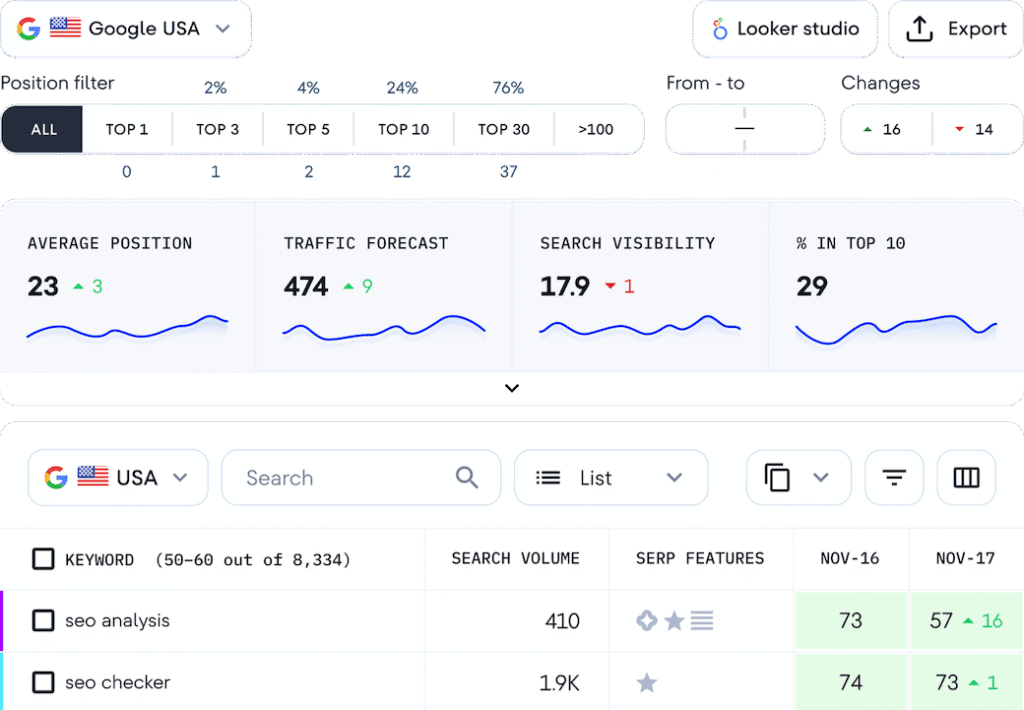
SE Ranking is what happens when you take the essential features from tools like Semrush and Ahrefs, simplify the interface, and charge half the price.
For growing businesses that need more than free tools but aren’t ready for enterprise pricing, it hits a sweet spot. The rank tracking is solid, the keyword research works well, and the local SEO features are particularly strong.
Why it matters: You get professional features without enterprise costs.
Who it’s for: Businesses managing 2–5 sites, especially if local SEO matters.
9. Surfer SEO
Cost: From £69/month What it does: Content optimisation based on what actually ranks
Surfer analyses top-ranking pages for your target keywords and tells you what to include in your content. How long should it be? Which related terms should you cover? How should you structure it?
It’s particularly useful if you’re creating lots of content and want to stack the deck in your favour.
Why it matters: Takes guesswork out of content creation.
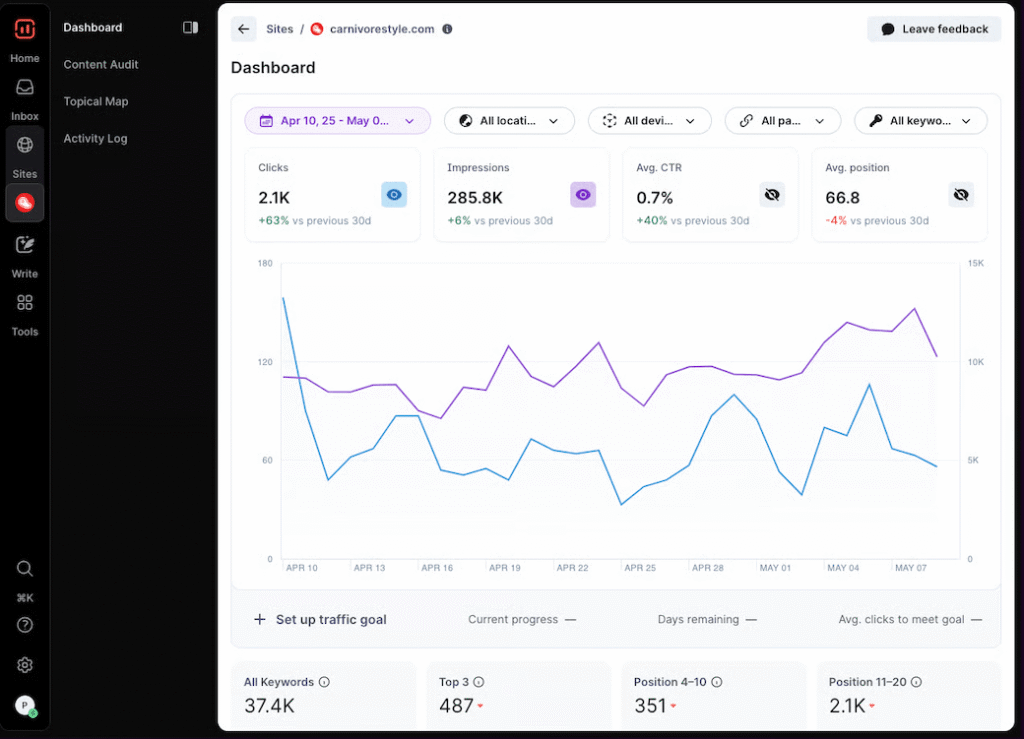
The limitation: It’s a tool, not a strategy. Following Surfer’s recommendations won’t save poorly conceived content, but it can help good content rank better.
10. Ubersuggest
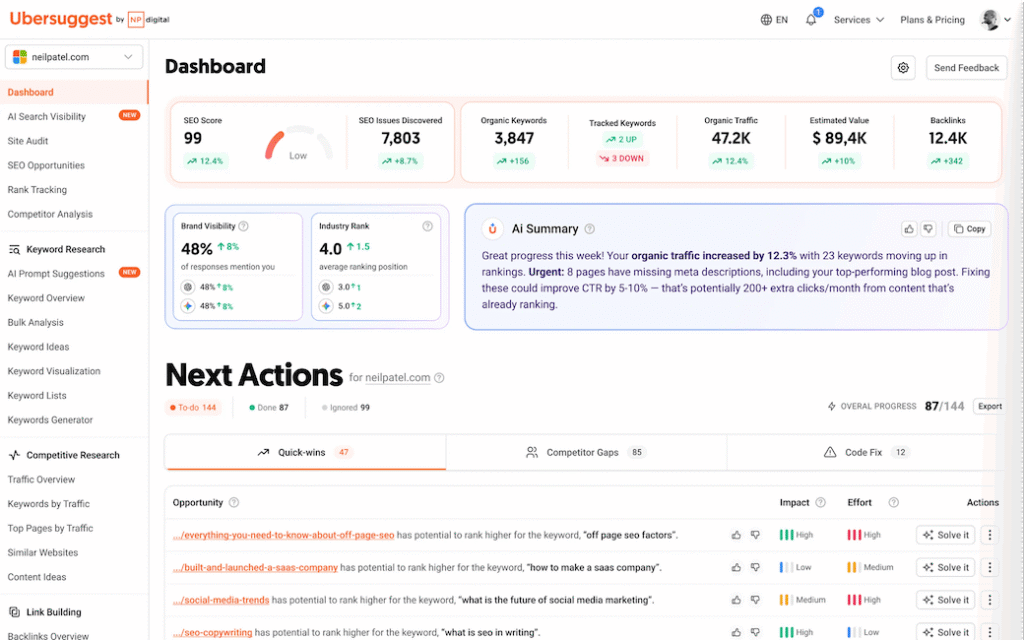
Cost: From £12/month (or one-time purchase options) What it does: Budget-friendly keyword research and site audits
Neil Patel’s Ubersuggest is the budget option that still delivers value. It won’t match Ahrefs or Semrush for depth, but for basic keyword research, competitor analysis, and site audits, it does the job.
Why it matters: Accessible pricing for businesses just getting serious about SEO.
When to choose it: You know you need paid tools but aren’t ready to commit £100+/month.
The tools you probably don’t need (yet)
Expensive enterprise platforms like Conductor, BrightEdge, or Moz Pro are powerful but overkill for most growing businesses. You’ll know when you’ve outgrown mid-tier tools.
AI content generators promise to solve your content problems but usually create more work polishing their mediocre output than writing it yourself would take.
Rank tracking tools as standalone purchases make little sense when position tracking comes bundled with most paid SEO platforms.
Which tools should you actually buy?
Here’s an honest framework:
Start with free tools (Search Console, Analytics, Google Business Profile). Master these first. If you can’t extract value from free tools, paid ones won’t magically fix that.
Add one paid tool when you hit a specific limitation. Not because someone told you to, but because you’ve identified a problem that a specific tool solves.
- Need better keyword research? Evaluate Ahrefs, Semrush, or Ubersuggest based on your budget and needs.
- Struggling with content optimisation? Try Surfer SEO.
- Can’t keep up with competitor analysis manually? That’s when you look at comprehensive platforms.
Don’t buy tools you won’t use weekly. If it’s not part of your regular workflow, it’s a waste of money.
The actual secret to SEO tools
No tool will “do SEO” for you. They provide data and recommendations — you still need to make strategic decisions and do the work.
The best SEO tool is usually the one you’ll actually open and use consistently. A free tool you check weekly beats a £500/month platform you log into quarterly.
Start simple. Solve real problems. Scale when you have evidence it’s worth the investment.
And remember: tools are multipliers. They amplify good strategy and waste money on bad strategy. Get your fundamentals right first.
Need help figuring out which tools actually make sense for your business, or want someone to just handle SEO properly?
Get in touch — we’ll talk through your specific situation without the sales pitch. Or take a look at our SEO services to see how we approach it.